What Is CrikSales? A B2B Ordering Portal Built for QuickBooks
By Varma, Founder, CrikSales · Published
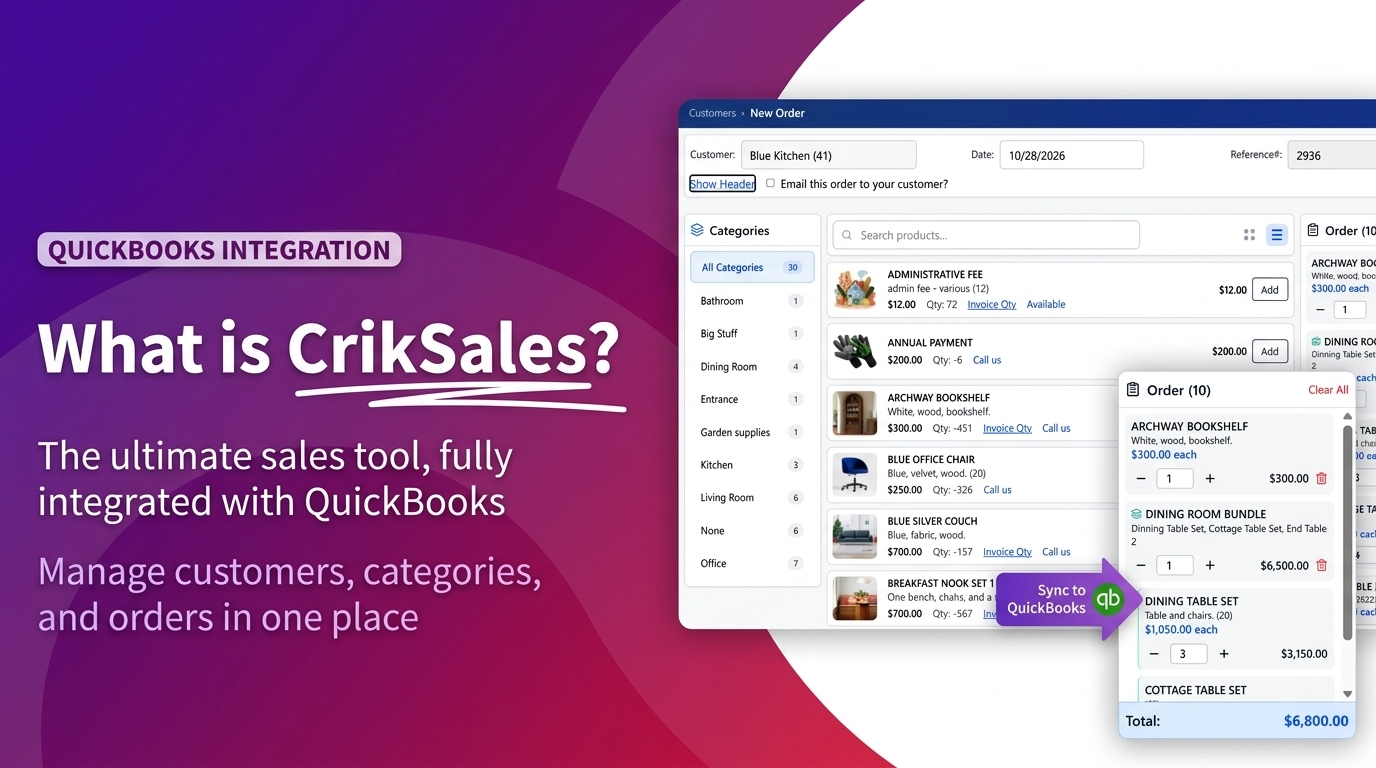
What is CrikSales? CrikSales is a B2B ordering portal for manufacturers and distributors that sell through dealers and wholesale customers. It connects directly to QuickBooks Desktop and QuickBooks Online, so your dealers can order online at any hour, see their own pricing, catalog, order history and invoices, and accept quotes by email, while QuickBooks stays your system of record.
This guide explains what CrikSales does, who it is for, how a quote becomes an order, and how to get started without disrupting the way you already run your books.
The short version
- What it is: a B2B ordering portal for dealers and wholesale customers, connected to QuickBooks Desktop and QuickBooks Online.
- For dealers: order around the clock with their own pricing, catalog, order history and invoices, with no calls or emails to your inside sales team.
- Quotes: send a secure link by email and track it from sent to viewed to approved. Customers need no login.
- For reps: place orders and build quotes on behalf of the accounts they manage.
- Reporting: insights and segmentation reports show who is buying what, and who has slowed down.
- Your books: QuickBooks stays the system of record, and orders, customers and items stay in sync.
Why is ordering from a manufacturer or distributor so slow?
It's 7:45 on a Monday morning. A dealer needs to reorder twelve units before the weekend rush. Your office opens at 8:30, so they leave a voicemail, then send an email with a photo of a handwritten list. Someone on your team retypes it into QuickBooks, gets one part number wrong, and the correction takes three more emails.
Nothing about that order was complicated. It was just slow, manual and easy to get wrong. CrikSales closes that gap. Your dealers place orders themselves, in a portal that already knows their pricing and pulls from your QuickBooks catalog. The order lands in QuickBooks without anyone retyping it.
What is CrikSales, and who is it for?
CrikSales is a B2B customer and dealer ordering portal that integrates with QuickBooks Desktop and QuickBooks Online. It gives the businesses that buy from you a branded, self-serve way to browse your catalog, see their pricing, place orders, request quotes and review invoices.
CrikSales is built for companies that sell through a network of dealers, retailers or wholesale accounts. Customers include hearth and stove manufacturers (see how Jøtul North America gives dealers real-time answers), specialty food and beverage distributors, and medical equipment suppliers. Instead of fielding every order by phone and email, your team manages the exceptions. Your dealers handle the routine orders themselves, and QuickBooks keeps running your accounting.
CrikSales is available on the Intuit App Store.
| Question | Answer |
|---|---|
| What is it? | A B2B customer and dealer ordering portal |
| Who is it for? | Manufacturers and distributors that sell through dealers, retailers or wholesale accounts |
| What does it connect to? | QuickBooks Desktop, QuickBooks Online, and ERP systems such as Epicor |
| What can dealers do? | Browse the catalog, see their own pricing, order and reorder, request quotes, review invoices and pay them online |
| What can sales reps do? | Place orders and build quotes on behalf of their accounts |
| Does it replace QuickBooks? | No. QuickBooks stays the system of record |
| Can I try it first? | Yes, with a free 2-week trial, no credit card required |
What can you do with CrikSales?
CrikSales covers the full path from a dealer's first question to a paid invoice. Each capability below works on its own, so you can start with the one that saves your team the most time.
Dealer and customer ordering portal
Your dealers log in to a portal with your catalog, their pricing and their account history. They can build an order, reorder from past purchases and check order status at any time. Orders flow into QuickBooks, so nobody retypes them. See the B2B customer portal.
Quote management
Build a quote and send it to your customer as a secure link by email. Your customer opens the quote in their browser, with no login needed, and reviews it on their own time. You can see where each quote stands, from sent and viewed through approved or expired, so your team knows which ones to follow up on. See quotes and estimates.
Sales rep tools
Your reps can place orders and build quotes on behalf of the accounts they manage. They work from the same catalog and pricing your dealers see, so what a rep promises matches what the customer gets. See the sales rep CRM.
Invoices and payments
Dealers can view their open and past invoices in the portal and pay online by credit card or ACH through Stripe, so they don't have to call your office to settle up. See invoices and payments.
Reports and data insights
See who is buying what, and how often. Insights and segmentation reports group your customers and products so you can spot your best accounts, find dealers who have slowed down, and plan your next campaign. See sales analytics.
Integrations
- QuickBooks Desktop and QuickBooks Online: QuickBooks stays your system of record for customers, items and accounting. CrikSales keeps the ordering side in sync. See the QuickBooks integration.
- ERP integration: CrikSales also powers dealer portals connected to ERP systems such as Epicor. See the Epicor integration.
- Partner API: larger customers can pull their CrikSales data into their own systems through a secure, read-only API.
How does a quote become an order in CrikSales?
An accepted quote becomes an order that syncs to QuickBooks with the right customer, items and prices. Here is how one request moves through CrikSales for a hearth manufacturer and one of its dealers.
- The need. A dealer has a homeowner who wants a wood stove, a chimney kit and installation parts. The dealer needs a price before the homeowner decides.
- The quote. Your sales rep builds the quote in CrikSales from your QuickBooks catalog, at that dealer's pricing, and clicks send.
- The customer view. The dealer gets an email with a secure link. They open the quote in their browser, review every line and accept it.
- The follow-up. Your rep sees the quote move from sent to viewed to approved, with no chasing by phone.
- The order. The accepted quote becomes an order. It syncs to QuickBooks with the right customer, items and prices.
- The reorder. Next month, the dealer logs in to the portal and reorders the same chimney kit in two clicks.
The result is one accurate order, no retyping, and a dealer who knows exactly where things stand.
Why did we build CrikSales?
Many manufacturers and distributors run their business on QuickBooks, and it handles their accounting well. But the ordering side often lives in phone calls, email threads, PDFs and spreadsheets.
Those workarounds become so routine that nobody questions them. Inside sales spends the day retyping orders. Dealers wait for callbacks to learn a price. Reps can't see what their accounts bought last quarter.
We built CrikSales so that QuickBooks businesses can give their dealers the kind of online ordering experience big companies have, without replacing the accounting system they already trust.
How do you get started with CrikSales?
Already a customer? Pick one dealer group and one workflow, such as reorders or quotes, and move it into the portal first. Check the results, then add more dealers.
New to CrikSales? Find CrikSales on the Intuit App Store, start a free 2-week trial, or book a demo and we'll show you the portal with your own QuickBooks catalog in mind. See current pricing.
Some setups need more than a standard rollout, such as an ERP connection or custom pricing rules. Our team can help you plan those, and you can see how CrikSales is customized.
Ready to see it for yourself?
Start with one dealer group and one product line, then expand. Book a demo or start your free trial.
CrikSales FAQ
What is CrikSales?
CrikSales is a B2B customer and dealer ordering portal that integrates with QuickBooks Desktop and QuickBooks Online. It gives manufacturers and distributors a branded, self-serve way for dealers and wholesale customers to browse the catalog, see their own pricing, place orders, request quotes and review invoices.
Does CrikSales replace QuickBooks?
No. QuickBooks stays your accounting system and system of record. CrikSales adds the ordering, quoting and dealer self-service layer on top, and keeps orders, customers and items in sync.
Does CrikSales work with QuickBooks Desktop or QuickBooks Online?
Both. CrikSales integrates with QuickBooks Desktop and QuickBooks Online.
Do my customers need an account to view a quote?
No. Quotes arrive as a secure link by email, and customers can open and review them in a browser without logging in.
Can my sales reps use CrikSales too?
Yes. Reps can place orders and build quotes on behalf of the accounts they manage, using the same catalog and pricing their dealers see.
Can dealers pay invoices online in CrikSales?
Yes. Dealers can view their open and past invoices in the portal and pay online by credit card or ACH through Stripe, so they don't need to call your office to settle an invoice.
What kinds of businesses use CrikSales?
Manufacturers and distributors that sell through dealers or wholesale accounts. That includes hearth and stove manufacturers, specialty food and beverage distributors, and medical equipment suppliers.
We use an ERP, not QuickBooks. Can CrikSales still help?
Possibly. CrikSales also runs dealer portals connected to ERP systems such as Epicor. Talk to the CrikSales team about your setup.
Is there a free trial of CrikSales?
Yes. CrikSales offers a free 2-week trial with no credit card required. You sign up, connect your QuickBooks company, and try the portal with your own data.
Want more detail? Browse the CrikSales blog, the full FAQ or the industry use cases.
Related articles
Related features: B2B customer portal · Quotes · QuickBooks integration · Pricing