Warranty & Claims
Process warranty claims without the phone tag
Your B2B customers submit warranty claims online — photos, documents, and all — and your team reviews, updates, and resolves them from one queue. Everyone always knows where a claim stands.
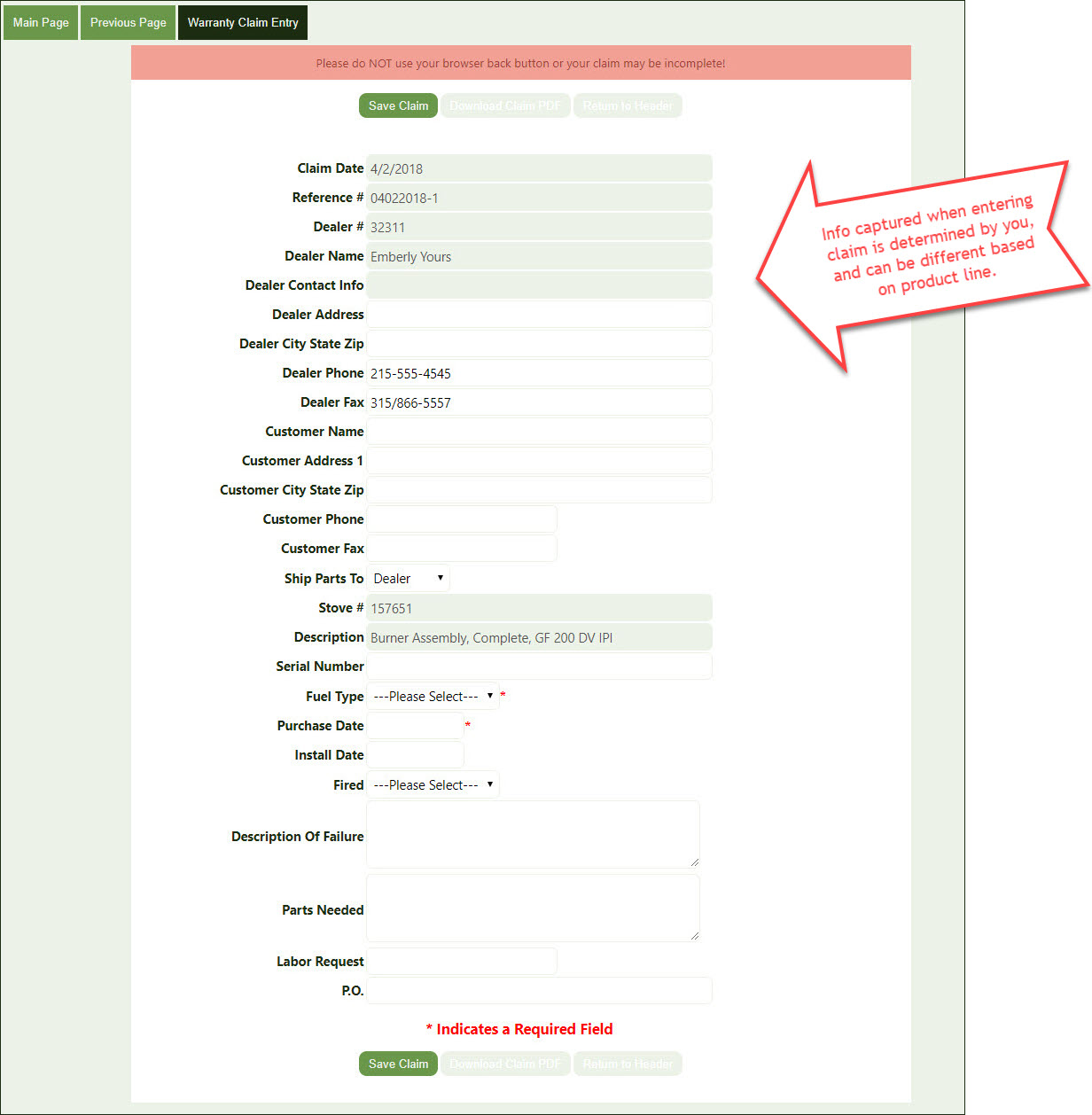
How a claim moves through the system
Every step below happens inside the same portal your customers already use to order — no separate warranty tool, no re-entering claim details by hand.
Customer submits the claim
Your customer, or their rep, files the claim online and attaches photos or other documents. What's captured can be customized by product line.
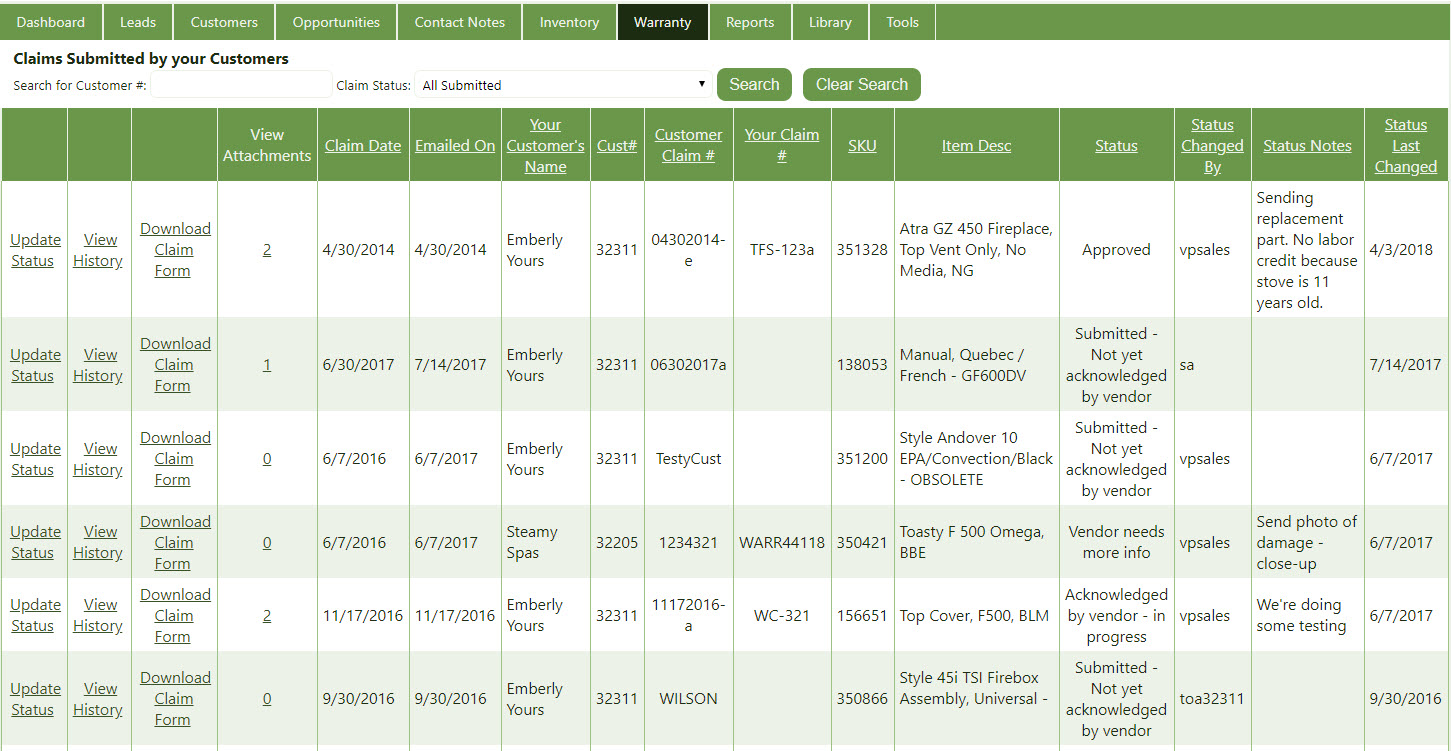
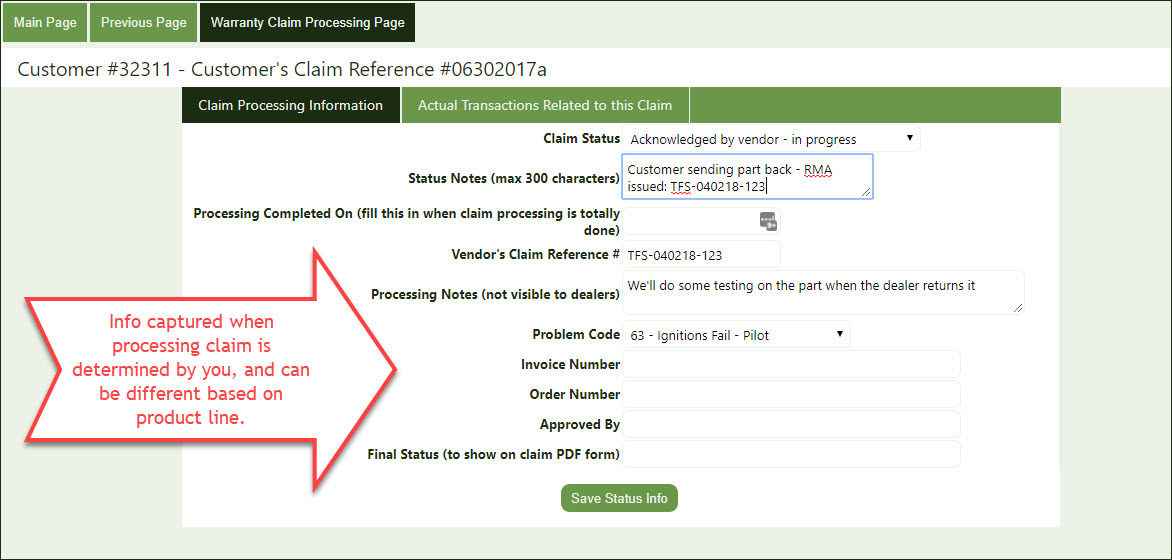
Your team reviews and processes
Claims land in one queue. Your processing team opens attached photos, downloads the claim form, requests more information, and updates status — all without leaving the portal.
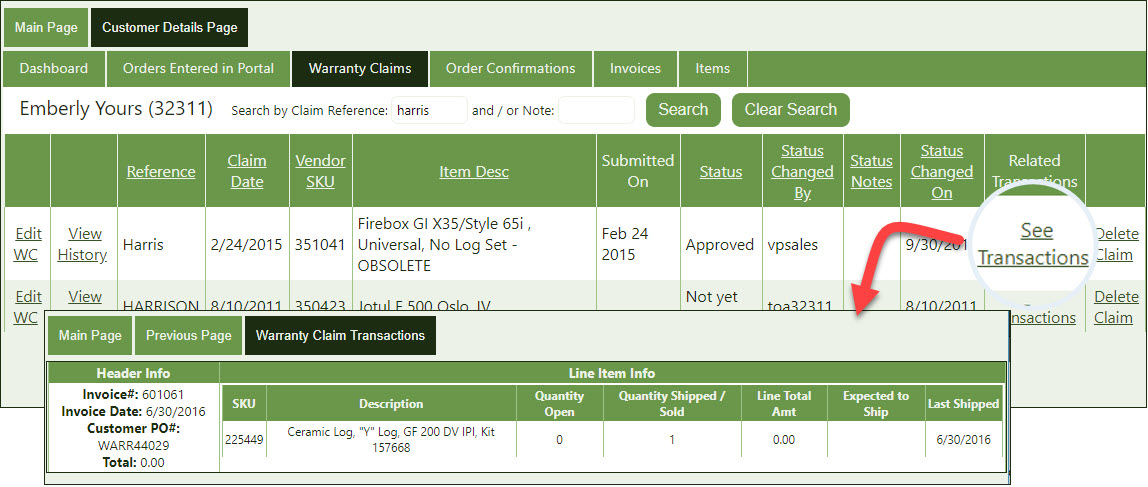
The customer sees status in real time
Your customer can check claim status anytime, along with any related replacement part orders, invoices, or credits you've entered against the claim.
Status changes notify automatically
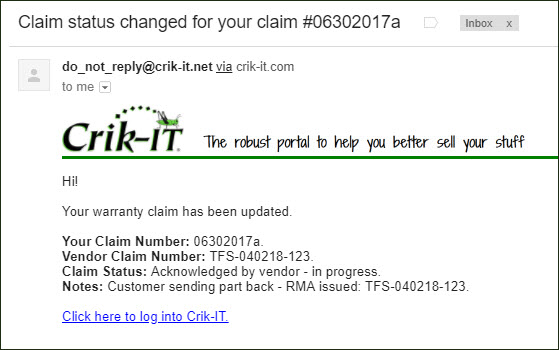
When your team updates a claim, the customer contact is emailed automatically — no one has to remember to make the call.
See which parts are actually costing you money
Once claims are flowing through the portal instead of email and spreadsheets, your management team can run reports on which parts are most problematic, what warranty is costing you, and where the recurring issues are — not just close individual tickets.
CrikClaim
A named add-on for higher claim volume
Warranty Claims and the CrikClaim processing add-on are separate, billable modules from the core CrikSales subscription. If you're processing warranty at volume — recurring product-quality issues, seasonal claim spikes, multi-location dealer networks — ask your account rep whether these modules are enabled on your plan or worth adding.
This capability fits particularly well for manufacturers with a dealer network standing behind physical products: hearth and heating equipment, medical and durable equipment, and other categories where a failed part means a claim, a replacement, and a paper trail you need to keep straight.