QuickBooks Versions Compared: Which One Fits Your Business? (2026 Guide)
By Beth K. · Published · Updated, with prices and availability checked,
Which QuickBooks version should you choose? For most businesses in 2026, QuickBooks Online is the right starting point: it runs in a browser on any device and has four plans from $38 to $340 per month. QuickBooks Desktop Enterprise fits larger companies that need deep inventory and fulfillment tools on a locally installed system. This guide compares every current QuickBooks edition, with prices and availability checked against Intuit's own pages in November 2026.
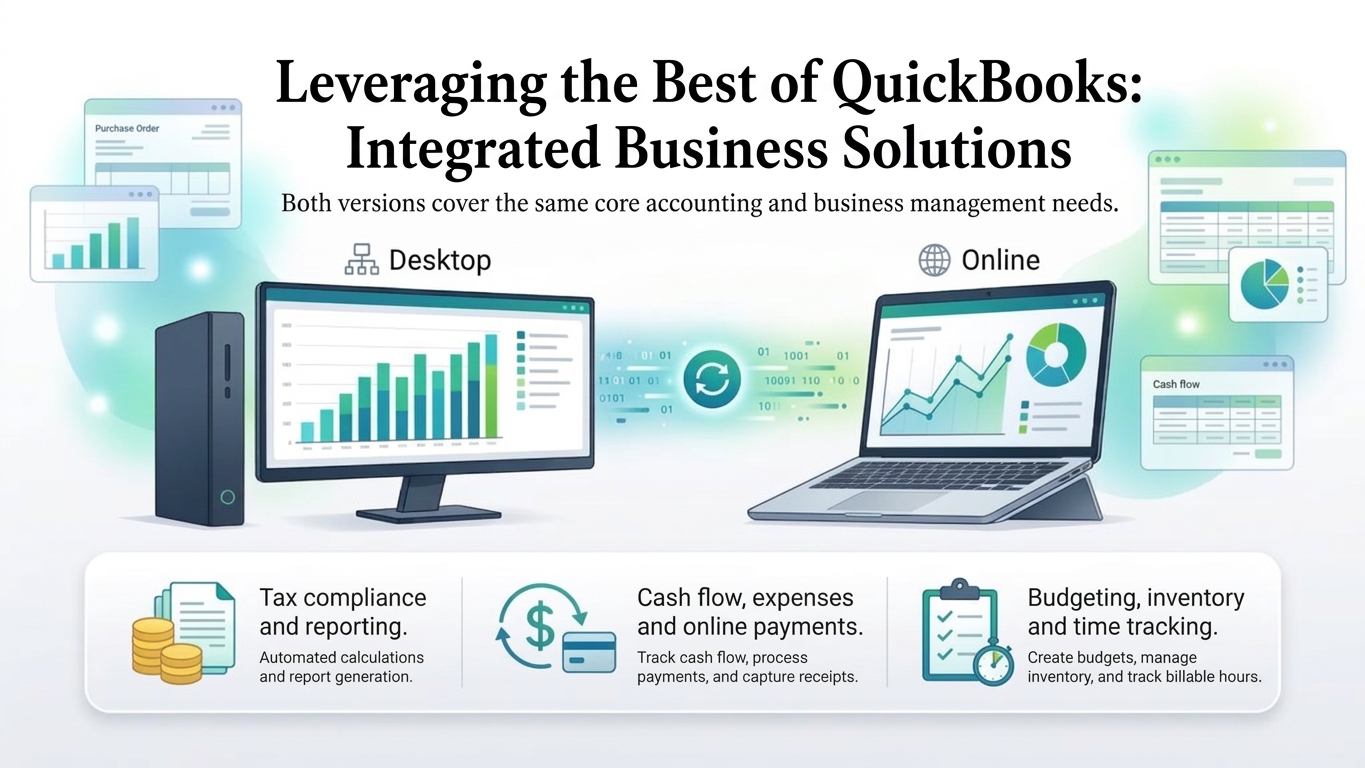
The short version
- QuickBooks Online: cloud-based, with four plans at $38, $85, $140 and $340 per month for 1, 3, 5 and 25 users. The best fit for most small and midsize businesses, remote teams and multi-location companies.
- QuickBooks Desktop Enterprise: a locally installed subscription for up to 40 users, built for complex inventory. It is the only Desktop edition Intuit sells to new customers.
- Pro Plus, Premier Plus and Mac Plus: not sold to new U.S. customers since September 30, 2024. Existing subscribers can still renew.
- Solopreneur and Accountant Suite: Solopreneur is for one-person businesses (Free, $20 and $38 per month plans). Intuit Accountant Suite is for accounting firms and has a free Core plan.
QuickBooks versions at a glance
| Version | Best for | Users | U.S. list price | Sold to new customers? |
|---|---|---|---|---|
| QuickBooks Online Simple Start | Sole owners and very small businesses | 1 | $38/month | Yes |
| QuickBooks Online Essentials | Small teams | 3 | $85/month | Yes |
| QuickBooks Online Plus | Growing businesses that track inventory and projects | 5 | $140/month | Yes |
| QuickBooks Online Advanced | Larger teams that need workflow automation and custom permissions | 25 | $340/month | Yes |
| QuickBooks Desktop Enterprise | Larger companies with complex inventory | Up to 40 | Annual or monthly subscription (Silver, Gold, Platinum, Diamond). Price varies by plan and users. | Yes |
| Desktop Pro Plus, Premier Plus, Mac Plus | Existing subscribers | n/a | n/a | No. Stopped for new U.S. customers on September 30, 2024. Existing subscribers can renew. |
| QuickBooks Solopreneur | One-person businesses | 1 | Free, $20 or $38/month | Yes |
| Intuit Accountant Suite | Accounting firms | n/a | Core plan free | Yes |
List prices before promotions. Intuit currently advertises 50% off the first three months on its paid online plans, with terms. Source: Intuit, checked November 8, 2026.
What is QuickBooks?
QuickBooks is accounting software from Intuit that helps businesses of all sizes manage their finances. It handles invoicing, bill tracking, payroll, inventory management, and tax and sales reporting in one system. Intuit sells it two ways: as cloud-based QuickBooks Online, and as QuickBooks Desktop software installed on your own computers. Both connect to third-party applications, so you can build a set of tools around your books.
How do you choose the right QuickBooks version?
Start with your business size and industry, because each QuickBooks version is built for a different kind of company. Then work through five questions:
- How many people need access? QuickBooks Online plans include 1, 3, 5 or 25 users. Desktop Enterprise supports up to 40.
- Where does your team work? Remote teams and multi-location businesses usually prefer a cloud product. An office-based team on a local network can run Desktop.
- How complex is your inventory? QuickBooks Online Plus tracks inventory. Desktop Enterprise Platinum and Diamond add pick, pack and ship, sales order fulfillment, landed cost and expiration dates.
- Which other tools must connect? Check how well each version works with your payroll and people management, inventory management and CRM software.
- Will it still fit in three years? Your accounting needs will change as you grow, so choose a version that can scale with you.
Try it before you commit
Use free trials and demos to learn the interface and features first. Intuit offers a 30-day free trial of QuickBooks Online.
Ask an accountant
A certified QuickBooks ProAdvisor can answer your questions, save you setup time, and recommend a plan. Every QuickBooks Online plan includes access for two accountants (three on Advanced). Intuit says its ProAdvisor program is being replaced by ProPartner Accountants in January 2027.
Check how your accounting system connects to how you sell
QuickBooks manages your books. It does not give your customers a way to order, check stock and pay invoices on their own, and it does not give your reps a CRM. If you are a manufacturer, wholesaler or distributor, a layer like CrikSales adds a B2B customer portal, quotes, a sales rep CRM, commissions and sales analytics on top of QuickBooks. CrikSales works with QuickBooks Online and with QuickBooks Desktop (Pro, Premier and Enterprise), so the edition you pick does not decide whether you can offer a portal. Plans start at $39 per month, and the free trial lasts two weeks with no credit card.

QuickBooks Online: plans, pricing and who it fits
QuickBooks Online is Intuit's cloud-based accounting software for small and midsize businesses. You can use it from any device with an internet connection, and several people can work in the same books at the same time.
Pros
- Accessible from any device with an internet connection.
- Multiple users can work with financial data at the same time.
- Accountant access is included in every plan.
- Updates are handled by Intuit.
- Connects with a wide range of third-party applications.
Cons
- Needs a stable internet connection to work.
- Subscription pricing, with a user limit on each plan.
- Report and template customization is more limited than on Desktop.
QuickBooks Online pricing (U.S., November 2026)
| Plan | List price | Users | Accountant seats | What it adds |
|---|---|---|---|---|
| Simple Start | $38/month | 1 | 2 | Income and expense tracking, invoicing and basic reporting |
| Essentials | $85/month | 3 | 2 | Everything in Simple Start, with more users and tools such as adding employee time to invoices |
| Plus | $140/month | 5 | 2 | Inventory tracking and project profitability tracking |
| Advanced | $340/month | 25 | 3 | Batch invoices and expenses, workflow automation and custom user permissions |
Intuit currently advertises 50% off the first three months on paid plans and a 30-day free trial. Features move between plans over time, so confirm on Intuit's pricing page before you buy. Organizations with multiple entities can also look at Intuit Enterprise Suite.
Using QuickBooks Online with CrikSales
Connecting is a permission grant: you authorize CrikSales to sync your QuickBooks Online data directly. Changes you make in QuickBooks typically appear in CrikSales within 5 to 30 minutes. Orders placed by customers or reps sync back into QuickBooks as Estimates or Invoices, typically within 5 minutes during business hours. Your team and your customers see current inventory and customer-specific pricing, and nobody re-keys an order. See the QuickBooks integration page or how the B2B customer portal works.
QuickBooks Desktop: is it still available?
Yes, but for new customers only as QuickBooks Desktop Enterprise. After September 30, 2024, Intuit stopped selling new Pro Plus, Premier Plus and Mac Plus subscriptions to U.S. customers. Existing subscribers can keep renewing, and Intuit states that the change is not a sunset of those products. Intuit also says QuickBooks Enterprise will be its Desktop accounting solution.
What QuickBooks Desktop Enterprise includes
- Plans: Silver, Gold, Platinum and Diamond, billed annually (a 12-month term) or monthly. Diamond is available on a monthly plan only.
- Users: supports up to 40 users.
- Capacity: lists of up to 1 million names and 1 million items.
- Inventory and fulfillment: Platinum and Diamond add pick, pack and ship, sales order fulfillment, landed cost, expiration dates and intercompany transactions.
- Hosting: Intuit also sells an Enterprise bundle with cloud hosting.
- Price: depends on the plan and the number of users. See Intuit's Desktop Enterprise page for current pricing.
Pros
- More customization options for reports and invoice templates.
- Advanced inventory and fulfillment tools on Platinum and Diamond.
- Core bookkeeping runs on your own machines, so it does not depend on a constant internet connection.
- Multi-user access across your network, up to 40 users.
Cons
- A subscription, not a one-time purchase.
- Installed locally, so remote access takes extra setup, such as cloud hosting.
- You manage updates and backups, and Intuit advises staying on a supported version.
- Enterprise is the only Desktop edition available to new customers.
Staying on a supported version matters. Intuit says unsupported versions lose live support, bank feeds, and payroll and payments add-ons, and they no longer receive critical security patches. Intuit encourages customers on standalone Pro, Premier or Mac versions from 2021 and older to move to QuickBooks Online.
Using QuickBooks Desktop with CrikSales
CrikSales supports QuickBooks Desktop Pro, Premier and Enterprise. You install the Crik-IT Sync Manager (CISM) on your network and grant access, and it syncs your data to CrikSales through the cloud. Changes in QuickBooks typically appear in CrikSales within 15 to 30 minutes, and orders placed in CrikSales typically appear in QuickBooks within 10 to 30 minutes. If you want purchase orders, quotes, prices, costs, items and inventory to match in both systems, Crik-Link moves them between CrikSales and QuickBooks Desktop without re-keying (ask your account rep to enable it). Because CrikSales also supports QuickBooks Online, the portal is not tied to one QuickBooks edition.
QuickBooks for Mac
QuickBooks Desktop Mac Plus is on the same stop-sell list as Pro Plus and Premier Plus: Intuit no longer sells new Mac Plus subscriptions to U.S. customers, though existing subscribers can renew. If you use a Mac and are starting fresh, QuickBooks Online runs in a web browser, so it works on macOS and other systems without installing software.
QuickBooks Solopreneur: the successor to Self-Employed
QuickBooks Solopreneur is Intuit's accounting product for one-person businesses, such as freelancers and independent contractors. It succeeds QuickBooks Self-Employed, whose $15, $25 and $35 monthly bundles still appear in older guides. Intuit now lists three Solopreneur plans, all for a single user:
- Free ($0): income and expense tracking, mileage tracking for up to 5 trips a month, and up to 2 invoices a month.
- Lite ($20/month): unlimited invoices, receipts and mileage, plus Expert Assisted Tax powered by TurboTax (you pay only when you file).
- Simple Start ($38/month): includes accountant access.
There is no accountant access on the Free and Lite plans. If you hire employees, sell inventory or need a second user, move up to QuickBooks Online.
Intuit Accountant Suite (previously QuickBooks Online Accountant)
Intuit Accountant Suite is the platform accounting professionals use to work in client books. Its Core plan is free, and the Accelerate plan is free through January 2027, then $149 per month. Accountants can open client books on QuickBooks, QuickBooks Advanced and Intuit Enterprise Suite. As a business owner you do not need it: you invite your accountant into your QuickBooks Online company, and each plan includes accountant seats.
QuickBooks Online vs QuickBooks Desktop: which should you choose?
| QuickBooks Online | QuickBooks Desktop Enterprise | |
|---|---|---|
| Access | Any device with an internet connection | Installed on your computers, or on a hosted server |
| Pricing | Monthly plans, $38 to $340 | Annual or monthly subscription by plan and users |
| Users | 1 to 25, depending on the plan | Up to 40 |
| Updates and backups | Handled by Intuit | You manage them |
| Customization | More limited report and template customization | More report and invoice template customization |
| Internet needed | Yes | Core bookkeeping runs locally |
| Inventory depth | Plus tracks inventory | Platinum and Diamond add pick, pack and ship, landed cost and expiration dates |
| New customers | Yes | Yes (Enterprise only) |
Choose QuickBooks Online if you want access from anywhere, real-time collaboration for remote teams or several locations, and a lower-maintenance setup with automatic updates.
Choose QuickBooks Desktop Enterprise if you work from a stable office environment, need deeper inventory and fulfillment tools, want more customization, and do not rely heavily on real-time remote collaboration.
For a long-term solution, QuickBooks Online is the lower-maintenance option, and it is where Intuit points customers on older Desktop versions. Desktop is not going away, though: Intuit has said Enterprise will be its Desktop accounting solution.
QuickBooks versions FAQ
What is the easiest QuickBooks to use?
QuickBooks Online is generally considered the easiest to use because of its intuitive interface, access from any device and real-time collaboration. Intuit's knowledge base also offers extensive tutorials. For a one-person business, QuickBooks Solopreneur is the simplest starting point.
Is QuickBooks enough for a small business?
Usually yes. QuickBooks covers the core accounting tools a small business needs: tracking income and expenses, creating invoices and generating reports. Businesses with specialized needs, such as deep inventory control or customer self-service ordering, often add tools that connect to QuickBooks.
How much does QuickBooks Online cost?
As of November 2026, QuickBooks Online lists at $38 per month for Simple Start (1 user), $85 for Essentials (3 users), $140 for Plus (5 users) and $340 for Advanced (25 users). Intuit currently advertises 50% off the first three months on paid plans, plus a 30-day free trial. Confirm current pricing on Intuit's website.
Do I need to buy QuickBooks every year?
QuickBooks is sold as a subscription, so you pay for as long as you want access. QuickBooks Online is priced monthly. QuickBooks Desktop Enterprise annual plans carry a 12-month term, and the Diamond plan is billed monthly. Older guides describe Desktop as a one-time purchase, but Intuit's current Desktop plans are subscriptions. Stay on a supported version to keep bank feeds, payroll, payments add-ons and security updates.
Is QuickBooks Desktop being discontinued?
Not entirely. Since September 30, 2024, Intuit no longer sells new Pro Plus, Premier Plus or Mac Plus subscriptions to U.S. customers. Existing subscribers can renew, and Intuit says this is not a sunset of those products. QuickBooks Desktop Enterprise remains available to new customers, and Intuit says it will be its Desktop accounting solution.
Which QuickBooks version is best for inventory?
QuickBooks Online Plus is the entry point for inventory tracking in the cloud. For complex inventory, QuickBooks Desktop Enterprise Platinum and Diamond add pick, pack and ship, sales order fulfillment, landed cost and expiration dates.
Can I move from QuickBooks Desktop to QuickBooks Online?
Yes. Intuit encourages customers on older standalone Desktop versions to move to QuickBooks Online. As of November 2026, Intuit offers existing Desktop customers 50% off an annual QuickBooks Online Advanced subscription, and says data migration is available at no additional cost for a limited time to existing Desktop customers moving to Online Advanced or Intuit Enterprise Suite. Confirm current offers with Intuit.
Prices, plan limits and availability come from Intuit's website, checked November 8, 2026, and Intuit may change them without notice. See Intuit for current details: QuickBooks pricing, Desktop Enterprise, the Desktop stop-sell announcement, Solopreneur and Intuit Accountant Suite. CrikSales sync times are typical and vary by setup.
Ready to connect QuickBooks to a B2B portal? Start your free trial, see CrikSales pricing, or compare options in Best Apps for Sales Reps Using QuickBooks.
For more articles like this, visit the CrikSales blog.
Related articles
Related: QuickBooks Desktop end of life and migration guide · Related features: QuickBooks integration · Crik-Link for QuickBooks Desktop · Pricing